
Event Materials (Key Required)
As of 2025, CMS has made changes to Medicare preventive services, including the Annual Wellness Visit (AWV), with a focus on increased emphasis on cognitive assessments to screen for potential dementia during the AWV, potentially leading to further evaluation if concerns arise; this is part of a broader trend towards integrating more comprehensive preventive care into standard Medicare benefits.
Some believe that Medicare’s preventive services include everything at no cost to them. We will learn what Medicare covers and what they do not cover for preventive services. Preventive services are services, procedures, and screenings that identify diseases and preventing problems before they develop symptoms. Proactive steps to better health through regular check-ups, screenings, immunizations, are a path to a healthier lifestyle.
Medicare Part B allows coverage for a full range of preventive services and screenings. These services are important because they identify problems early. These services are instrumental in preventing many illnesses and deaths. Preventive services can also reduce surgeries. All this combined can help lower healthcare costs. We will review how to use the tools provided by Medicare. This will include the CPT and HCPCS service codes along with ICD-10 diagnosis codes for preventive services. Medicare has coverage requirements and frequency limits. We will review the patient’s financial responsibility.
Discover how to bill for a preventive service and an additional evaluation and management service during the same encounter. There could be a time when a preventive service has a portion that is a Medicare covered benefit and a portion that is not a covered benefit. Find out how to break down the patient’ financial responsibility for this circumstance. Learn the documentation requirements for the Initial Preventive Physician Exam (IPPE), also known as the Welcome to Medicare Visit along with the Annual Wellness Visit (AWV). Discover the allowed time frames and frequency limits.
Some services are considered the patient’s preventive care benefit and other times these same services will be subject to the patient’s deductible and coinsurance.
Learning Objectives:
- Which Services are not Covered by Medicare
- Learn How to use Medicare’s Preventive Services Tool
- Know the 2025 Coding and Reimbursement Guidelines for Preventive Services and AWV
- Breaking Down the Patient’s Responsibility when the Encounter Includes both Preventive Services and Non-Covered Services
- Learn How and When to use Modifiers with Preventive Services
- Know the Services that Considered a Preventive Service Benefit and Sometimes not
- Learn the IPPE Requirements, Time Frames and Frequency
- Know the AWV, Initial and Subsequent Time Frames and Frequency
- Know the Diagnosis Codes Allowed with Preventive Services
Areas Covered in the Session:
- Medicare’s Preventive Services Tools
- 2025 CMS Medicare Rules and Guidelines for Preventive Services and AWV
- Know the Coding and Reimbursement Guidelines for Preventive Services and AWV
- Code Preventive Services and Sick Visit on the Same Date
- Medicare’s Documentation Requirements
- IPPE Requirements, Time Frames and Frequency Limits
- Patient Financial Responsibility
- Services Coded by Time
- Modifiers for Preventive Services and Correct Way to use
- Examples of Screenings
- Allowed Diagnoses Codes for Preventive Services and AWV
- Live Q&A Session
Related Webinars You May Like
Suggested Attendees:
- Physicians and Non-Physician Practitioners
- Administrators
- Practice Mangers
- Coding Managers
- Revenue Cycle Directors
- Coding Educators
- Coders
- Billers
- Denial and Appeals Team
- Auditors
- Coding Compliance Team
Presenter Biography:
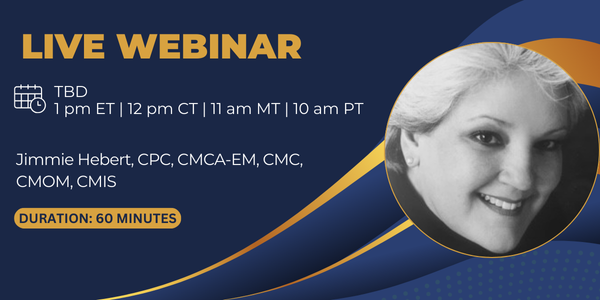
Jimmie is a Certified Professional Coder (CPC), Certified Medical Coder (CMC), Certified Medical Chart Auditor E/M (CMCA-E/M), Certified Medical Office Manager (CMOM), and Certified Medical Insurance Specialist (CMIS). Additionally, she has special expertise in the areas of human resource management and patient advocacy. Jimmie has conducted managed care contract analyses and negotiation and has extensive training and experience in diagnostic and procedural coding as well as effective reimbursement and collections techniques. She is well versed in Medicare issues, coding, and compliance.
Jimmie owns her own consulting company and has opened many physician practices in the greater Houston area. She is currently taking a break and pursuing her greatest passion which is teaching. Jimmie has traveled the country teaching physicians, medical practice administrators and staff about the latest issues in medical practice management and the business of management. Her background includes management of several multi-physician, multispecialty clinics, along with overseeing the revenue cycle operations of all Texas practices for a nationwide healthcare system.
Additional Information:
System Requirement:
- Internet Speed: Preferably above 1 MBPS
- Headset: Any decent headset and microphone which can be used to hear clearly
For more information, you can reach out to the below contact: Toll-Free No: 1-302-444-0162 Email: care@skillacquire.com
Purchase Order Form – Click Here to download PO form.
Snippet From Our Previous Session
Frequently Asked Questions:
HOW MUCH TIME DOES IT TAKE TO RECEIVE THE DVDs/ FLASH DRIVE? +
For DVDs/ FLASH DRIVE – It will take around 7 working days.
CAN I PLACE AN ORDER ON CALL? +
Yes, you can call our toll-free number 302-444-0162 and ask our representative for the enrollment. Alternatively, you can also mail us at care@skillacquire.com.
CAN I PURCHASE ANY OF YOUR TRAINING FORMATS, AT ANY TIME? +
For DVDs/ FLASH DRIVE – Yes, you can place the order at care@skillacquire.com using the order brochure or can call us at our toll-free number 302-444-0162.
DO I REQUIRE A COMPUTER FOR ATTENDING A LIVE COURSE? +
The system requirements are quite basic: OS: Windows any version preferably above Windows Vista & Mac any version above OS X 10.6 Internet Speed: Preferably above 1 MBPS Headset: Any decent headset and microphone which can be used to talk and hear clearly, in case of live course you can raise questions using a microphone.
HOW CAN I BECOME FACULTY AT SKILLACQUIRE? +
Please share your detailed CV with us and our team will screen the best faculty for the specific field.
HOW CAN I GET ACCESS TO THE LIVE TRAINING? +
You can access the live training using Joining Link or Dial-In Number. To get the joining link, you can click on the conference materials on the product description page, and enter your email address and password that you received in your email.
We will also send you the joining link or dial-in number to the registered email address 2-3 days prior to the live training. You can simply click the joining link to join the live training.
HOW CAN I MAKE A BULK PURCHASE? +
You can call our customer service department at 302-444-0162 and may also avail some discounts on the bulk orders.
WHAT’S THIS DIFFERENT FORMAT? +
- Live (One Attendee) – Only 1 person will be able to join the webinar
- Live (2 to 4 Attendees) – Upto 4 persons are allowed to join the webinar
- Live (5 to 10 Attendees) – Upto 10 persons are allowed to join the webinar
- On-Demand Recording (One Attendee) – Webinar recording link will be provided for a single attendee
- On-Demand Recording (Multiple Attendees) – Webinar recording link will be provided that can access by more than one person
- DVD – DVD will be shipped physically to the address provided
- Flash Drive – Flash drive will be shipped physically to the address provided
- Live + DVD – This allows you to attend live webinar plus you also get DVD shipped to the address provided
- Replay + FLASH DRIVE – Allows you to get webinar recording link plus you also get DVD shipped to the address provided
- Live + REPLAY + DVD – This allows you to attend live webinar plus you also get webinar recording to your email and DVD shipped to the address provided
WHAT CERTIFICATION DO I GET POST THE TRAINING? +
After successful completion of the training, you will be awarded the course completion certificate (on request). The certifications/ recertifications should be mentioned under the description of every course.
Attendee’s Reviews from the Previous Session:
1 Month ago By:- Cheryl Colbert
I thought the information was great. It was very informative and I would like to review the webinar again.
2 Weeks ago By:- Stephanie Janes
I really enjoyed the presenter. She was extremely knowledgeable and added in some humor.
5 Days ago By:- Liza Tan
Good presentation. Speaker was very upbeat which made paying attention easy.